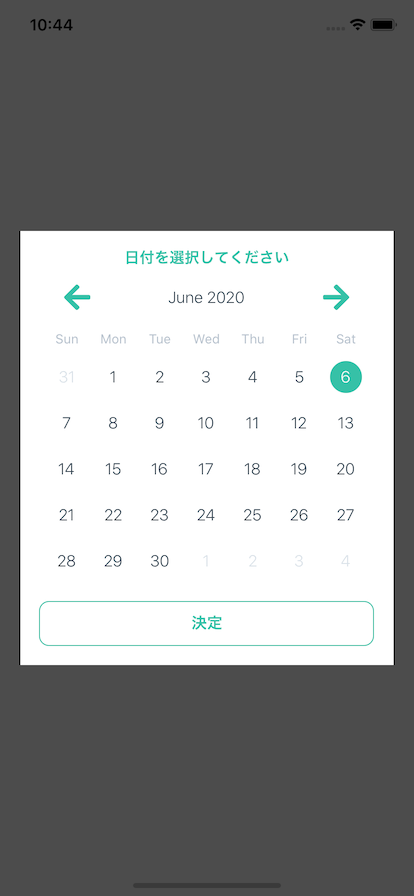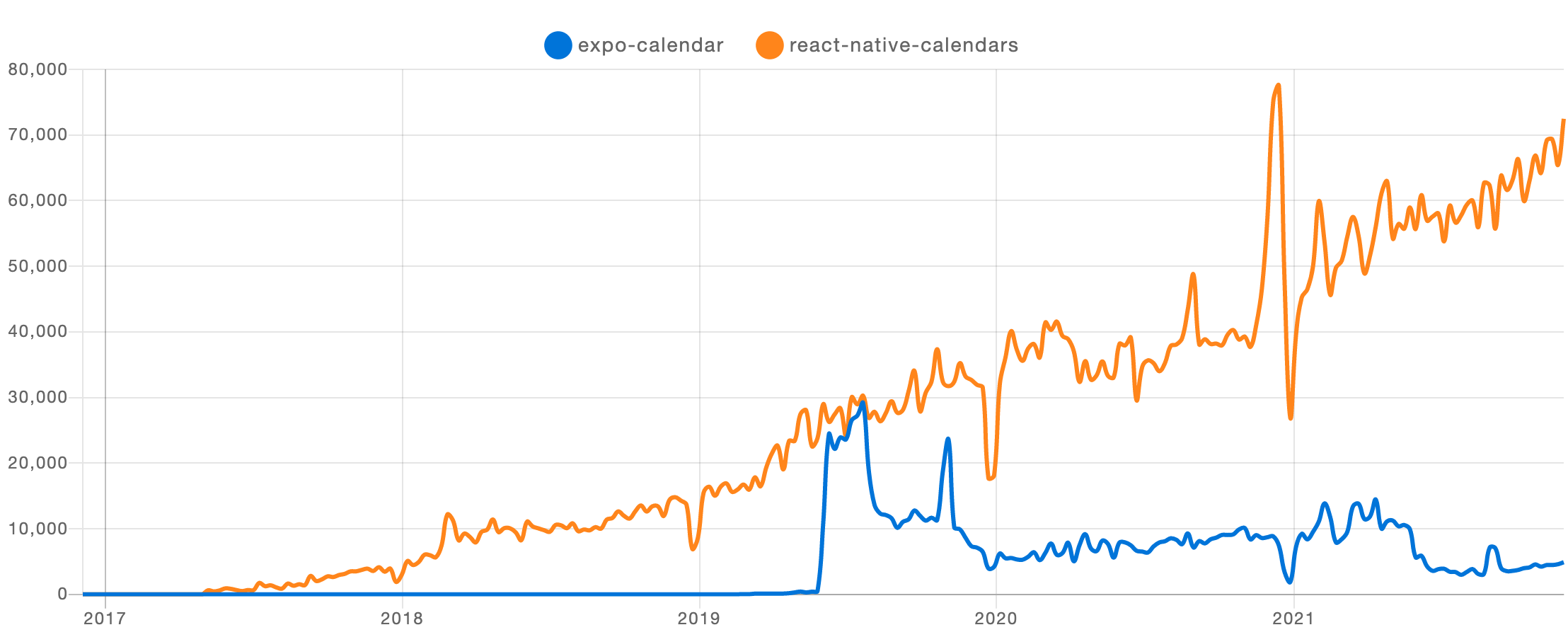
$ git clone git@github.com:wix/react-native-calendars.git
$ cd react-native-calendars
$ npm install
$ cd ios && pod install && cd ..
//以下、→ 側に変更
$ react-native run-ios → npx react-native run-iosに変更(最近はreact-native-cliをアンインストールして、npxで実行することが推奨されているため)
実機にインストールまではできたがなぜか起動しなくて、詰む。
シミュレータでは普通に立ち上がった。(iOS13Proに入っている)
参考

https://tegralsblog.com/react-native-calendars-custom-japanese/
tegralsblog.com
Agenda
Agenda がいい感じ
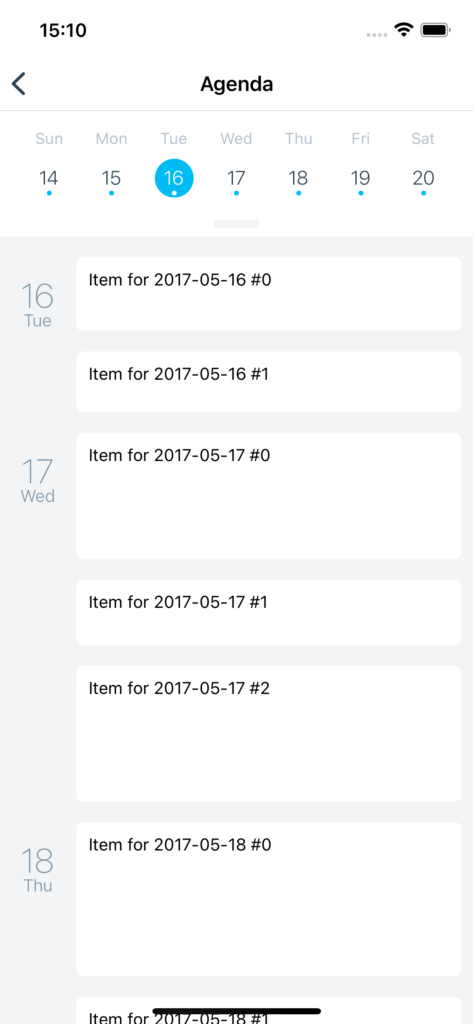
下のは、関数コンポーネントで実装してくれている。
AgendaのProps
<Agenda
  // Agenda に表示される項目のリストです。アイテムを空の日付として表示したい場合は
  // 日付キーの値は、空の配列 [] でなければなりません。日付キーの値が存在しない場合
  // 該当する日付がまだ読み込まれていないとみなされます。
  items={{
    '2012-05-22': [{name: 'item 1 - any js object'}],
    '2012-05-23': [{name: 'item 2 - any js object', height: 80}],
    '2012-05-24': [],
    '2012-05-25': [{name: 'item 3 - any js object'}, {name: 'any js object'}]
  }}
  // 特定の月のアイテムが読み込まれたときに呼び出されるコールバック(月が表示されるようになりました)
  loadItemsForMonth={(month) => {console.log('trigger items loading')}}
  // カレンダーが開閉されたときに呼び出されるコールバック
  onCalendarToggled={(calendarOpened) => {console.log(calendarOpened)}}
  // 日にちのところのプレス時に呼び出されるコールバック
  onDayPress={(day) => {console.log('day pressed')}}
  // アジェンダリスト(この縦リスト)のスクロール中に日が変わったときに呼ばれるコールバック
  onDayChange={(day) => {console.log('day changed')}}
   // 最初に選択されている日
  selected={'2012-05-16'}
  // minDateより前の日付はグレーアウトされます。デフォルトは undefined。
  minDate={'2012-05-10'}
  // maxDate 以降の日付はグレーアウトされます。 Default = undefined。
  maxDate={'2012-05-30'}
  //  過去にスクロールできる月数の最大値。既定値 = 50。
  pastScrollRange={50}
  // 未来へのスクロールを許可する最大月数。既定値=50
  // ただし0でもカレンダーはスクロールできなくなるだけで、リストは未来の日付もスクロールできる
  futureScrollRange={50}
  // アジェンダでの各アイテムのレンダリング方法を指定する
  renderItem={(item, firstItemInDay) => {return (<View />);}}
  // Specify how each date should be rendered. day can be undefined if the item is not first in that day
  // 各日付がどのようにレンダリングされるかを指定します。アイテムがその日の最初のものではない場合、"day "は未定義にできます。
  renderDay={(day, item) => {return (<View />);}}
  // Specify how empty date content with no items should be rendered
  // アイテムのない空の日付コンテンツのレンダリング方法を指定する
  renderEmptyDate={() => {return (<View />);}}
  // Specify how agenda knob should look like
  // アジェンダノブ(上のカレンダーを下に引っ張れるドアノブみたいなやつ)の表示方法の指定
  renderKnob={() => {return (<View />);}}
  // ActivityIndicatorの代わりにレンダリングされるものを指定する
  renderEmptyData = {() => {return (<View />);}}
  // Specify your item comparison function for increased performance
  // パフォーマンス向上のために、アイテム比較関数を指定する
  rowHasChanged={(r1, r2) => {return r1.text !== r2.text}}
  // ノブボタンを隠す。デフォルト=false
  hideKnob={true}
  // When `true` and `hideKnob` prop is `false`, the knob will always be visible and the user will be able to drag the knob up and close the calendar. Default = false
  // `true` かつ `hideKnob` prop が `false` の場合、ノブは常に表示され、ユーザーはノブを上にドラッグしてカレンダーを閉じることができます。デフォルトはfalse
  showClosingKnob={false}
  // By default, agenda dates are marked if they have at least one item, but you can override this if needed
  // デフォルトでは、アジェンダの日付は、少なくとも1つのアイテムがあればマークされますが、必要に応じてこれをオーバーライドできます。
  markedDates={{
    '2012-05-16': {selected: true, marked: true},
    '2012-05-17': {marked: true},
    '2012-05-18': {disabled: true}
  }}
  // If disabledByDefault={true} dates flagged as not disabled will be enabled. Default = false
  // disabledByDefault={true}の場合、無効ではないとフラグが立てられた日付が有効になります。デフォルト=false
  disabledByDefault={true}
  // If provided, a standard RefreshControl will be added for "Pull to Refresh" functionality. Make sure to also set the refreshing prop correctly
  //  提供されている場合、標準のRefreshControlが「引いて更新」機能のために追加されます。refreshing propも正しく設定してください。
  onRefresh={() => console.log('refreshing...')}
  // Set this true while waiting for new data from a refresh
  // リフレッシュからの新しいデータを待っている間、これをtrueに設定します。
  refreshing={false}
  // Add a custom RefreshControl component, used to provide pull-to-refresh functionality for the ScrollView
  // カスタムのRefreshControlコンポーネントを追加し、ScrollViewのpull-to-refresh機能を提供するために使用します。
  refreshControl={null}
  // Agenda theme
  theme={{
    ...calendarTheme,
    agendaDayTextColor: 'yellow',
    agendaDayNumColor: 'green',
    agendaTodayColor: 'red',
    agendaKnobColor: 'blue'
  }}

  // Agenda container style
  style={{}}
/>
日付選択をカレンダー形式で行う
参考URL
react-native-calendarsとreact-native-modalでカレンダーモーダルを作る | ネコニキの開発雑記 (nekoniki.com)
※クラスコンポーネントなのが微妙だが以下みたいな感じにできる